Pet Rescue Robot
- Tools
- C++
- ESP32
- LiDar Sensors
- Magnetometer Sensors
- Servo Motors
- OnShape
- Skills
- Object Oriented Programming
- 3D CAD
- Circuit Design
- Sensor Characterization
- Prototyping
- I2C Protocol
- UART Protocol
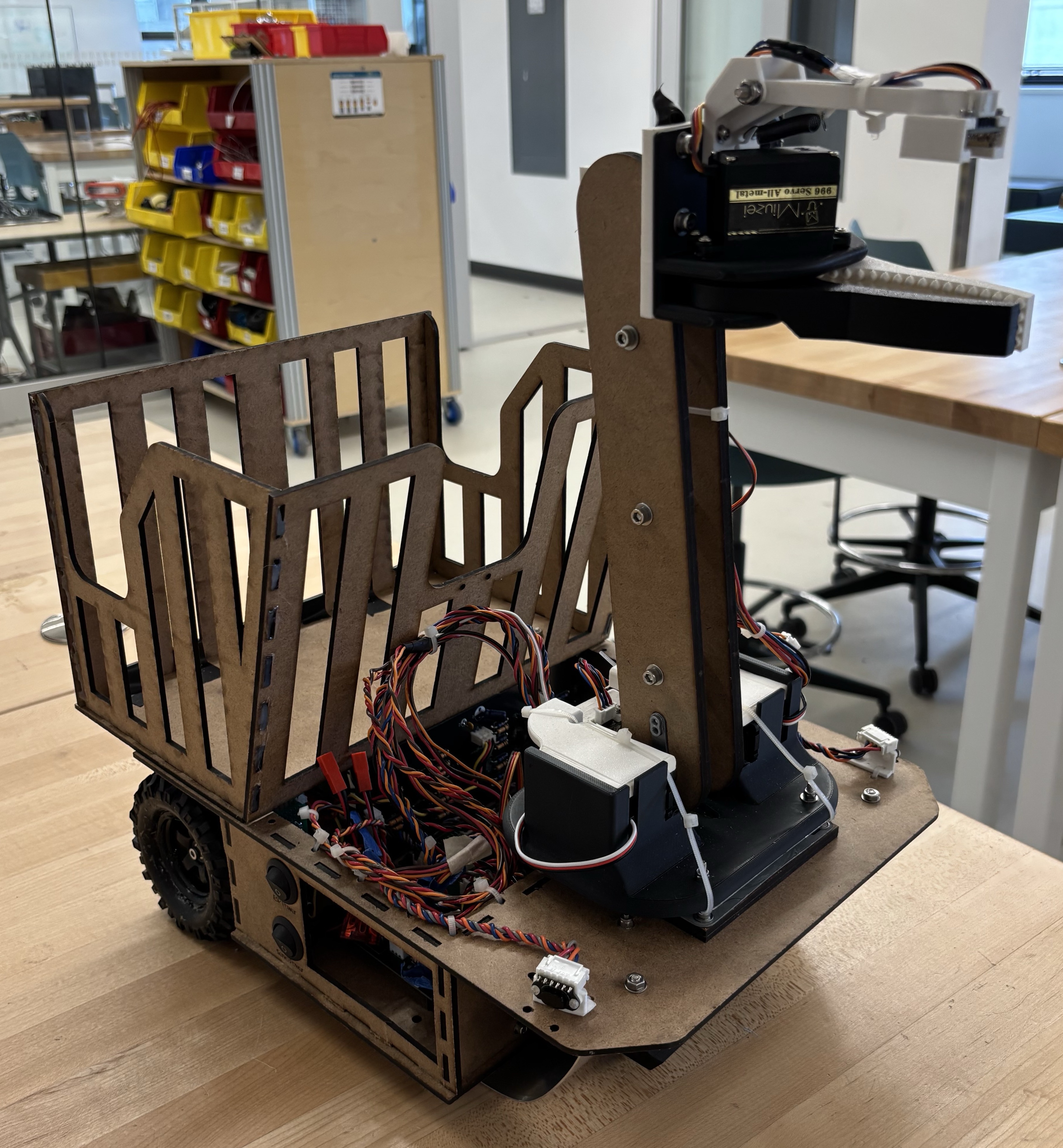
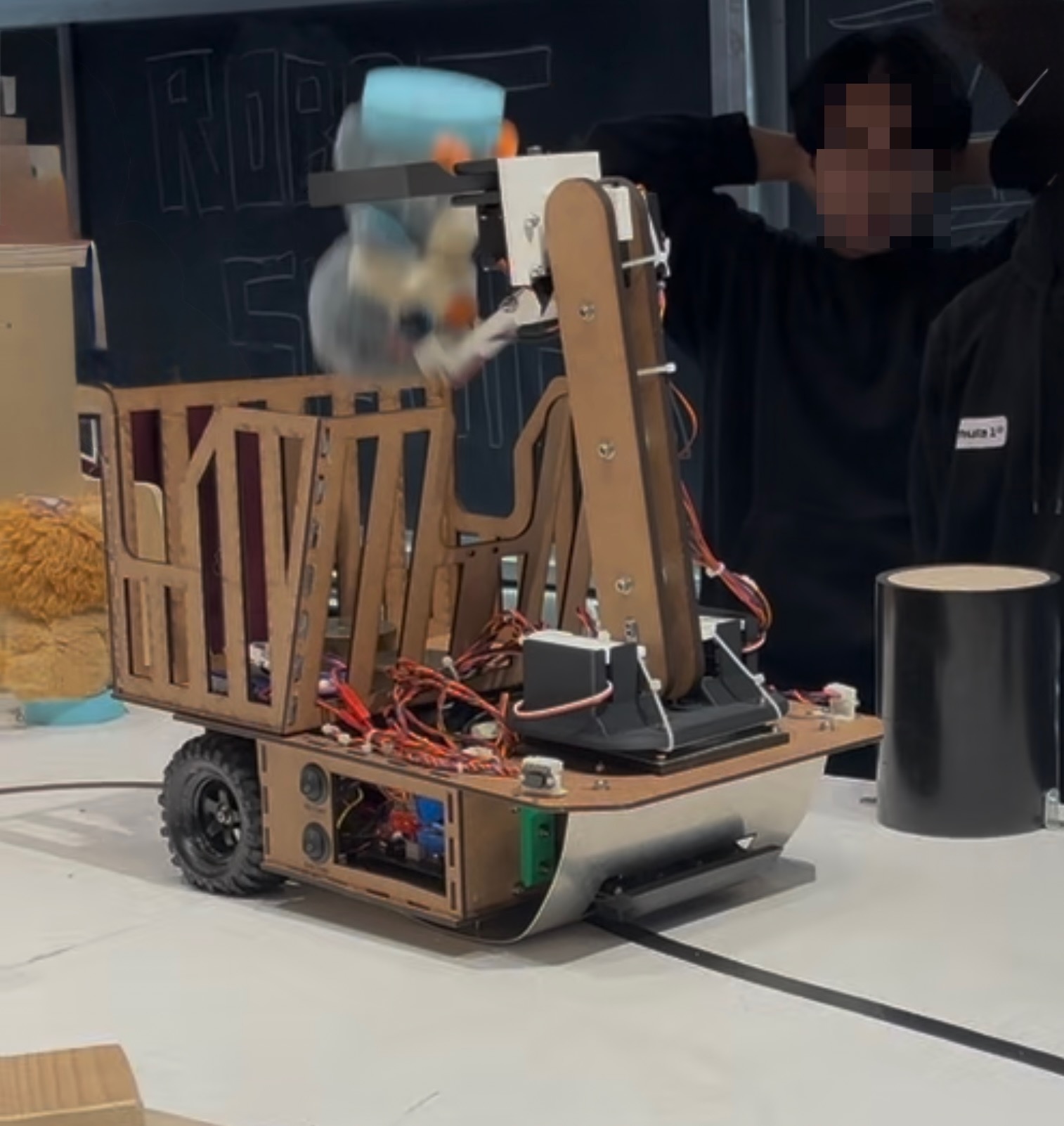
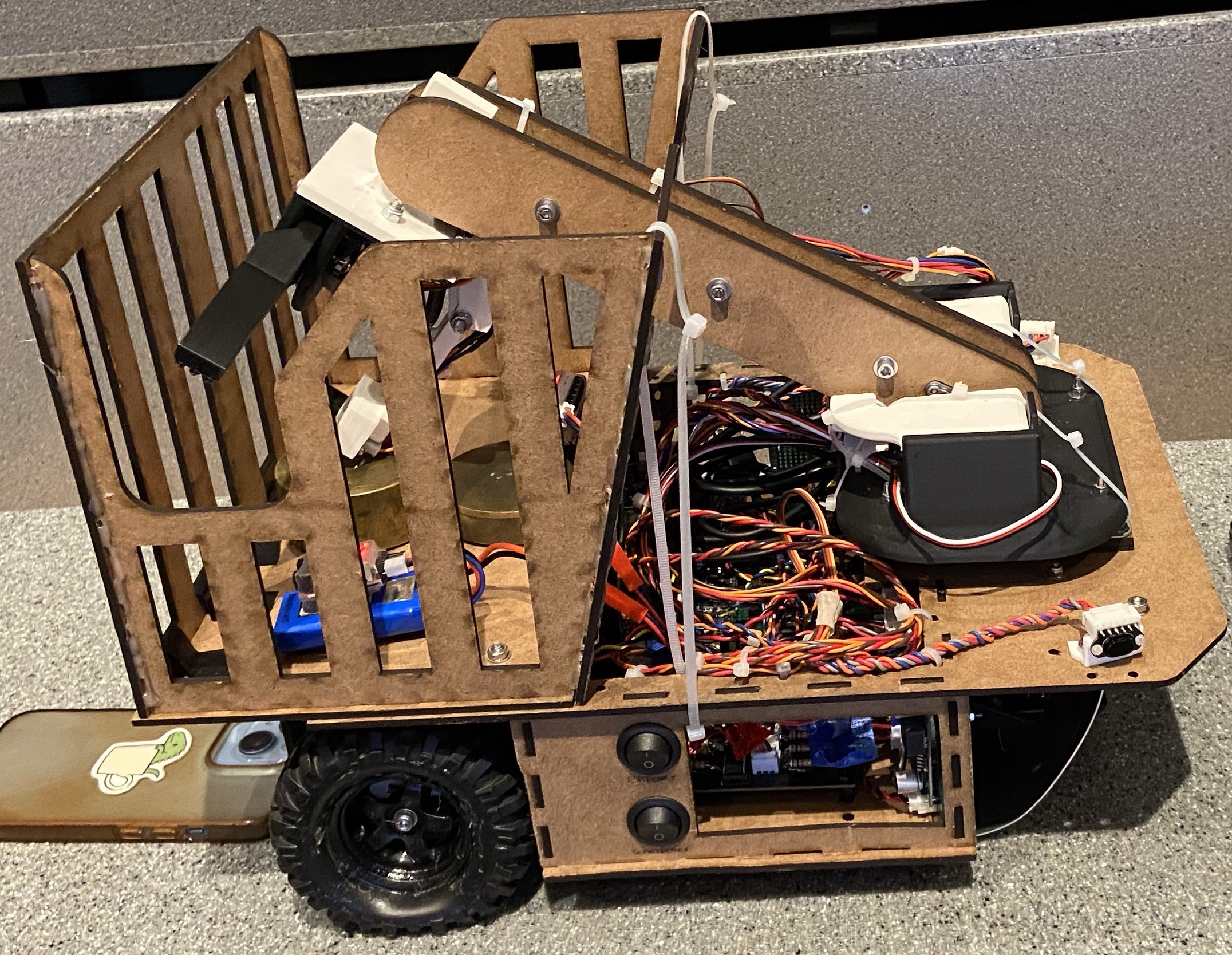
As part of a team of four, I designed, built, and competed with an autonomous robot capable
of seeking out and rescuing small stuffed animals (“pets”) from an obstacle-filled environment.
Our robot placed 2nd out of 15 teams in the final course competition.
We integrated a range of hardware and control systems:
- LiDAR for initial target detection and navigation support
- Infrared reflectance sensor array in a PID feedback loop for line-following navigation
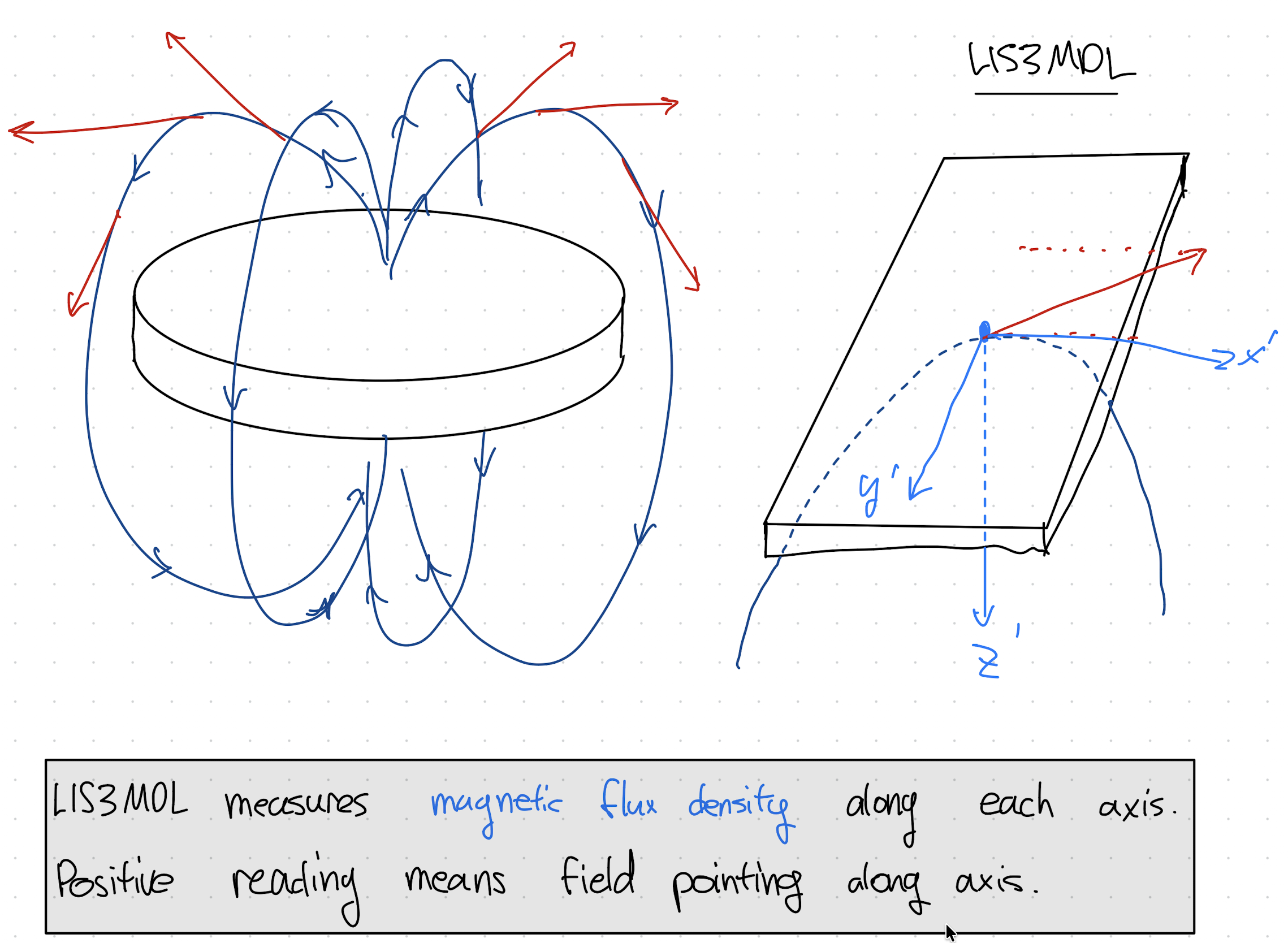
- Dual triple-axis magnetometers to guide the robotic claw toward magnetic
targets
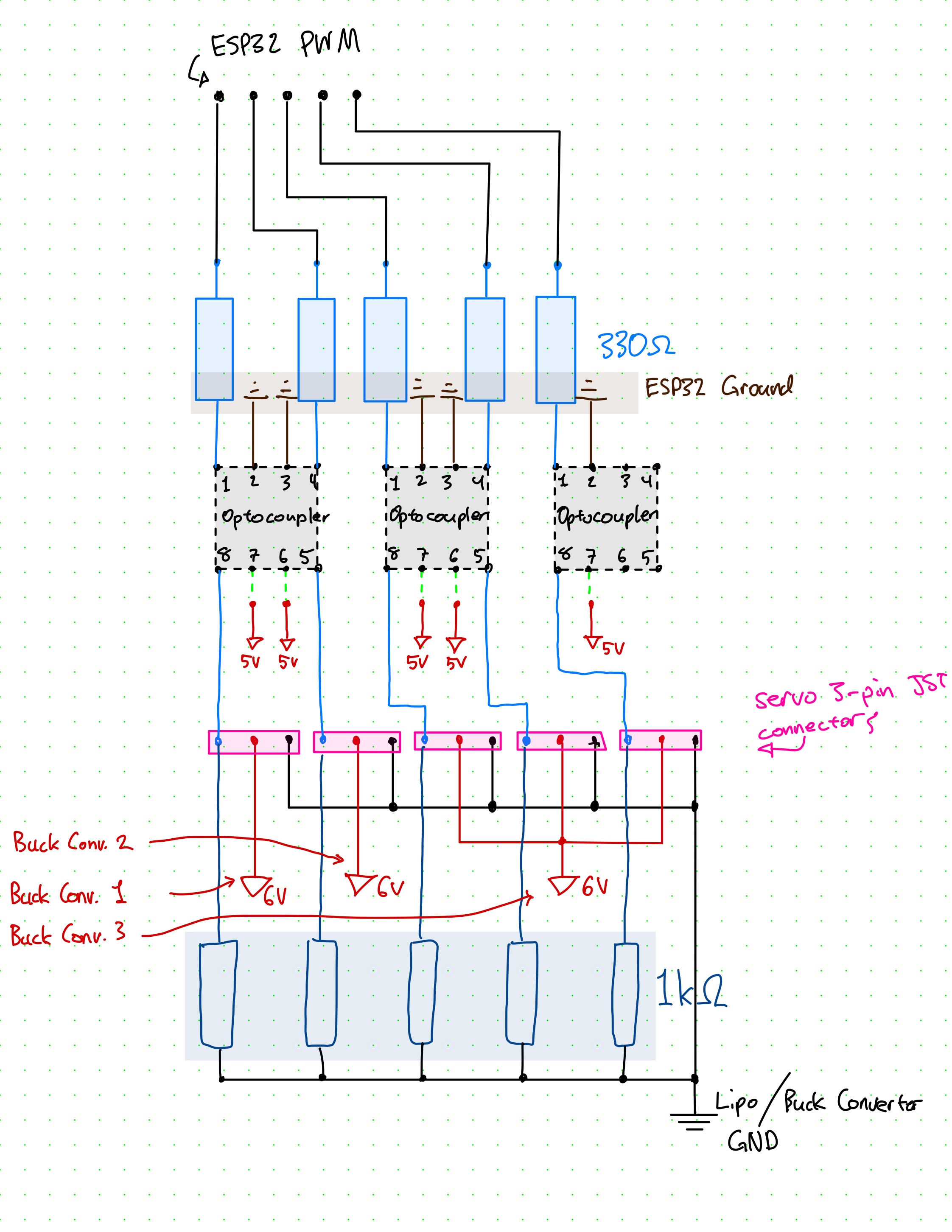
- ESP32 microcontrollers, servos, DC motors, and other fundamental drive and control
components
- I2C and UART Protocols for sensor and inter-microcontroller communication respectivley
The robot was powered by three lithium-polymer batteries, and its chassis, storage bay, and
arm were built from laser-cut hardboard and 3D-printed PLA components designed in OnShape.



Simulated Drone Control
- Tools
- Python
- OpenCV
- ROSa
- Gazebo
- OnShape
- GitHub
- Skills
- Networking
- Bash Scripting
- Drone Control
- Version Control
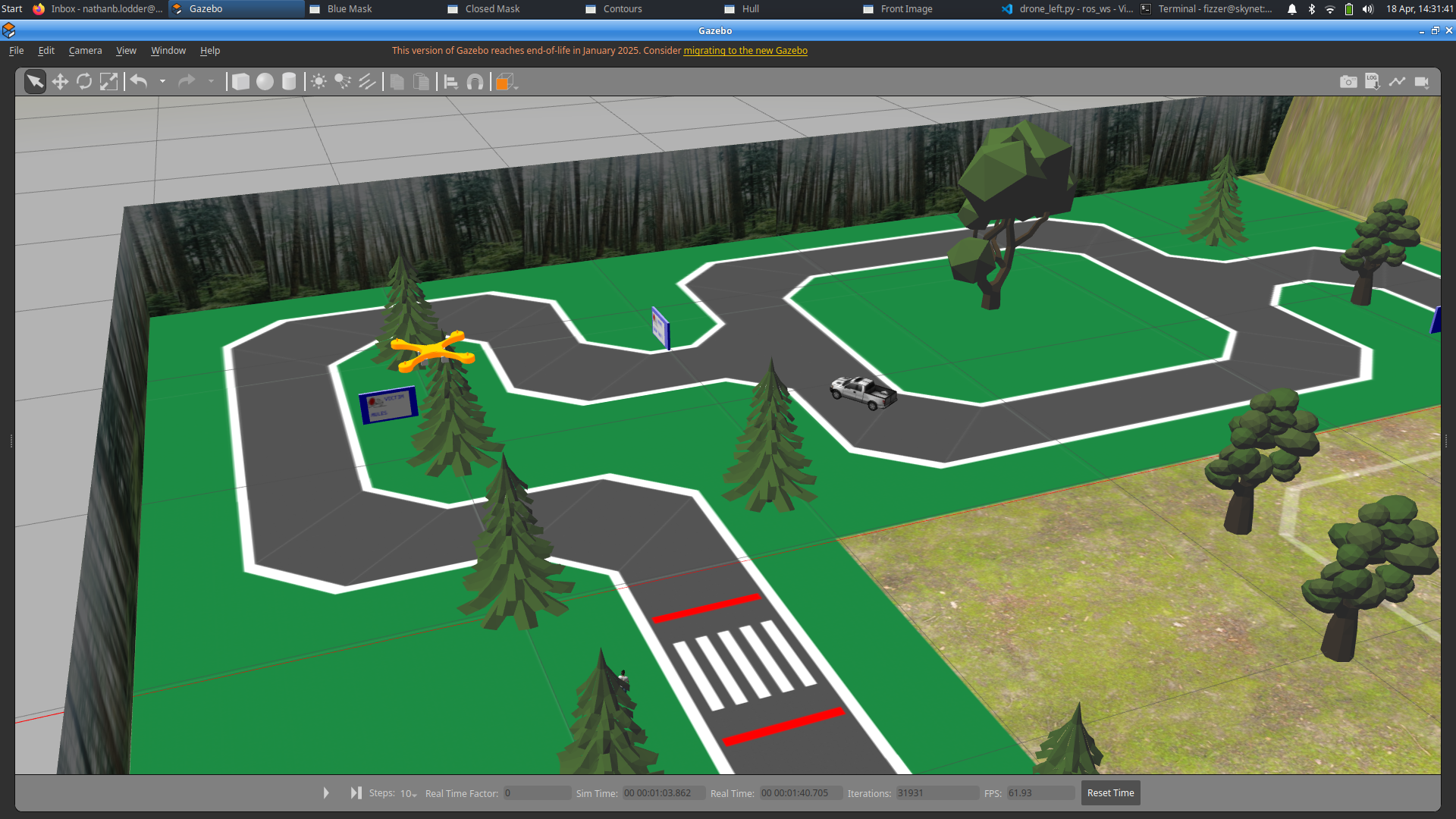
Created two-drone team to navigate simulated environment to collect data from signs in ROS/Gazebo.
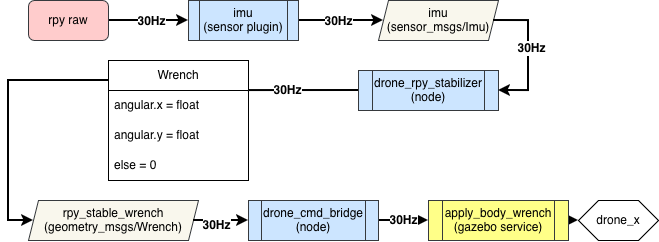
Controller nodes were implemented in Python and communicated via rostopics. For high-frequency inter-drone communication
I created a custom lightweight message type (see drone message repository). Controllers and stabilizers would
send movement demands to a command bridge node which would apply all requested forces to the drone. This was to
isolate ownership of force application to a single node and reduce the number of service calls to Gazebo's
costly ApplyBodyWrench service.
Roll and pitch stabilization was handled by a node that took inputs from an IMU link on the drone body and published
required correction velocities (to be read by the command bridge) after passing the roll, pitch and angular velocity
values through a PID function.
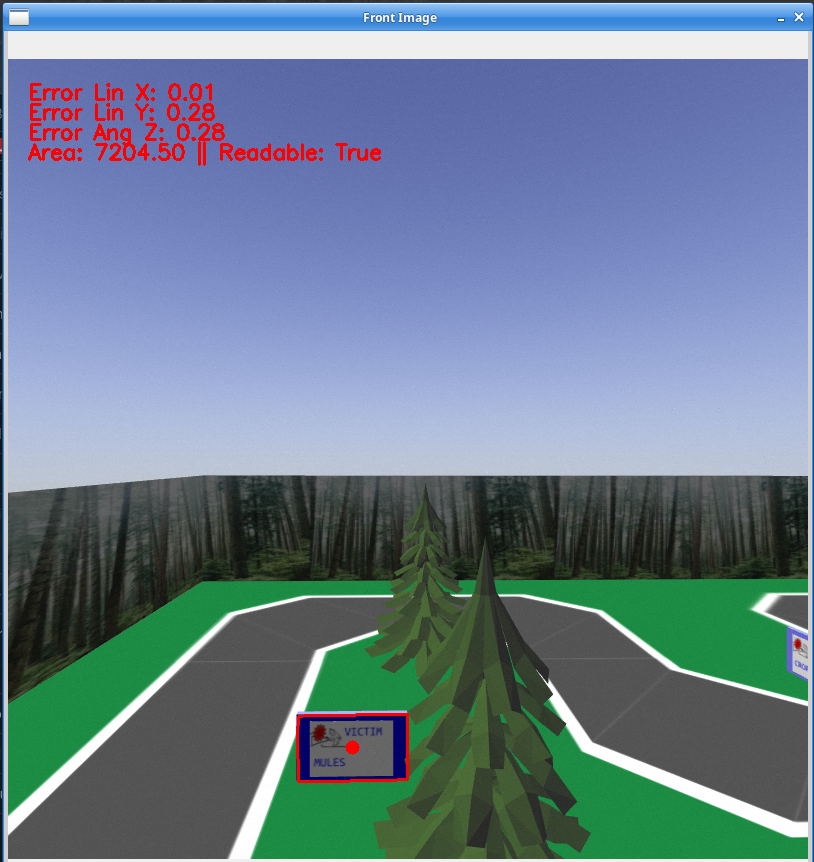
I processed the front camera feed with OpenCV for navigation. I used the difference of the horizontal centroid of
blue signs from the centre of the frame as the error for left/right strafing and yaw PID controllers. For forward/backward movement
I used the relative height of the sign in the frame, pushing the drone back if the sign was too large in frame, and forward if the sign
was too small in frame, also through a PID function.
The base drone design was performed in OnShape and converted to a URDF file through the
onshape-to-robot plugin. I wrote a python script to convert
this .urdf file to a .xacro file for cleanliness and better handling of repeat parts. This file was then modified per developed
needs in controller development (adding sensors, modifying drone colors etc.).
Wheelchair Backup Assist Proximity Overlay
- Tools
- Python
- Raspberry Pi
- Raspberry Pi OS Linux
- Ultrasonic Sensors
- Data Processing
- Skills
- Software Construction
- Command Line Interfacing
- Sensor Characterization
- Prototyping
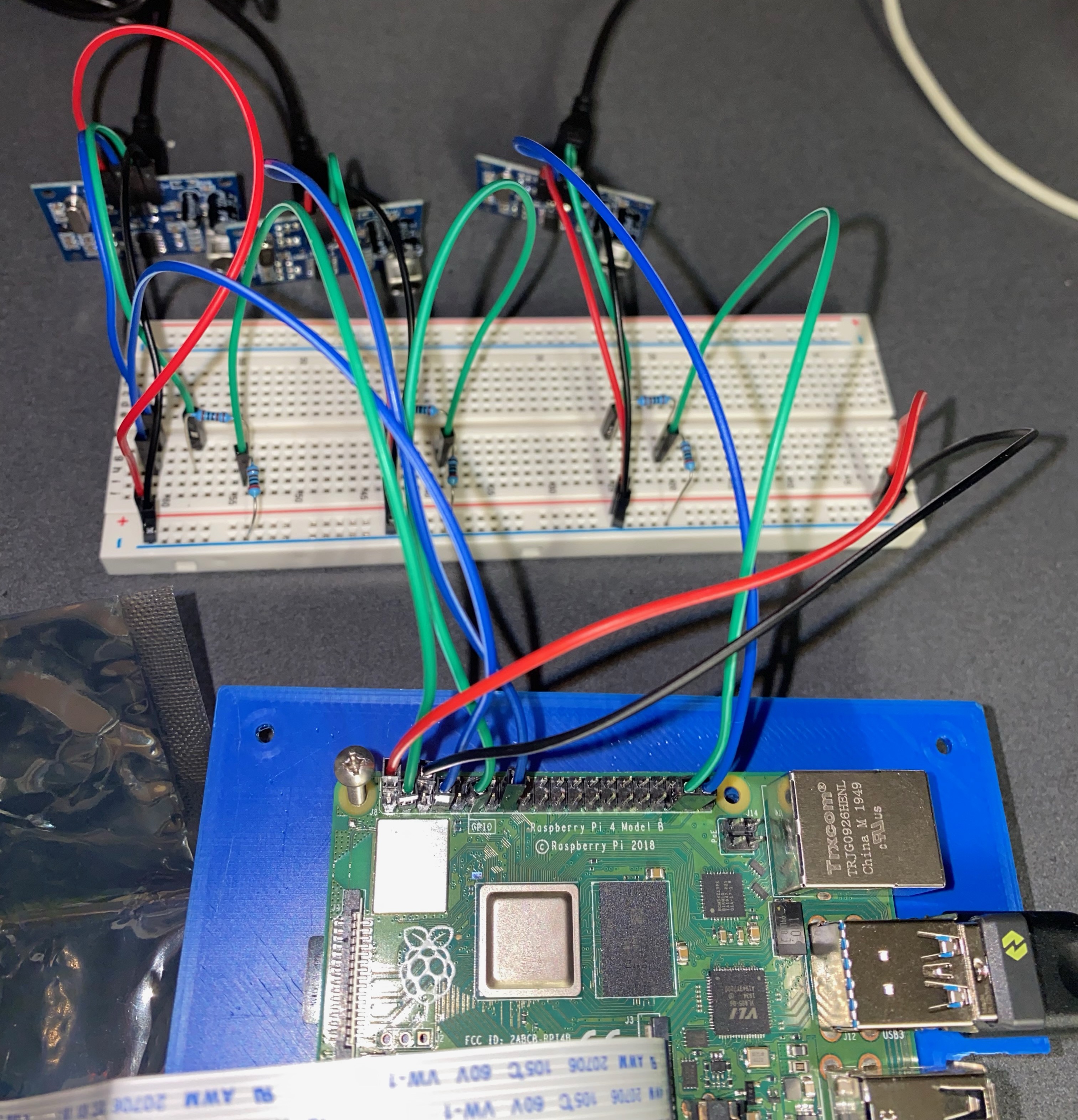
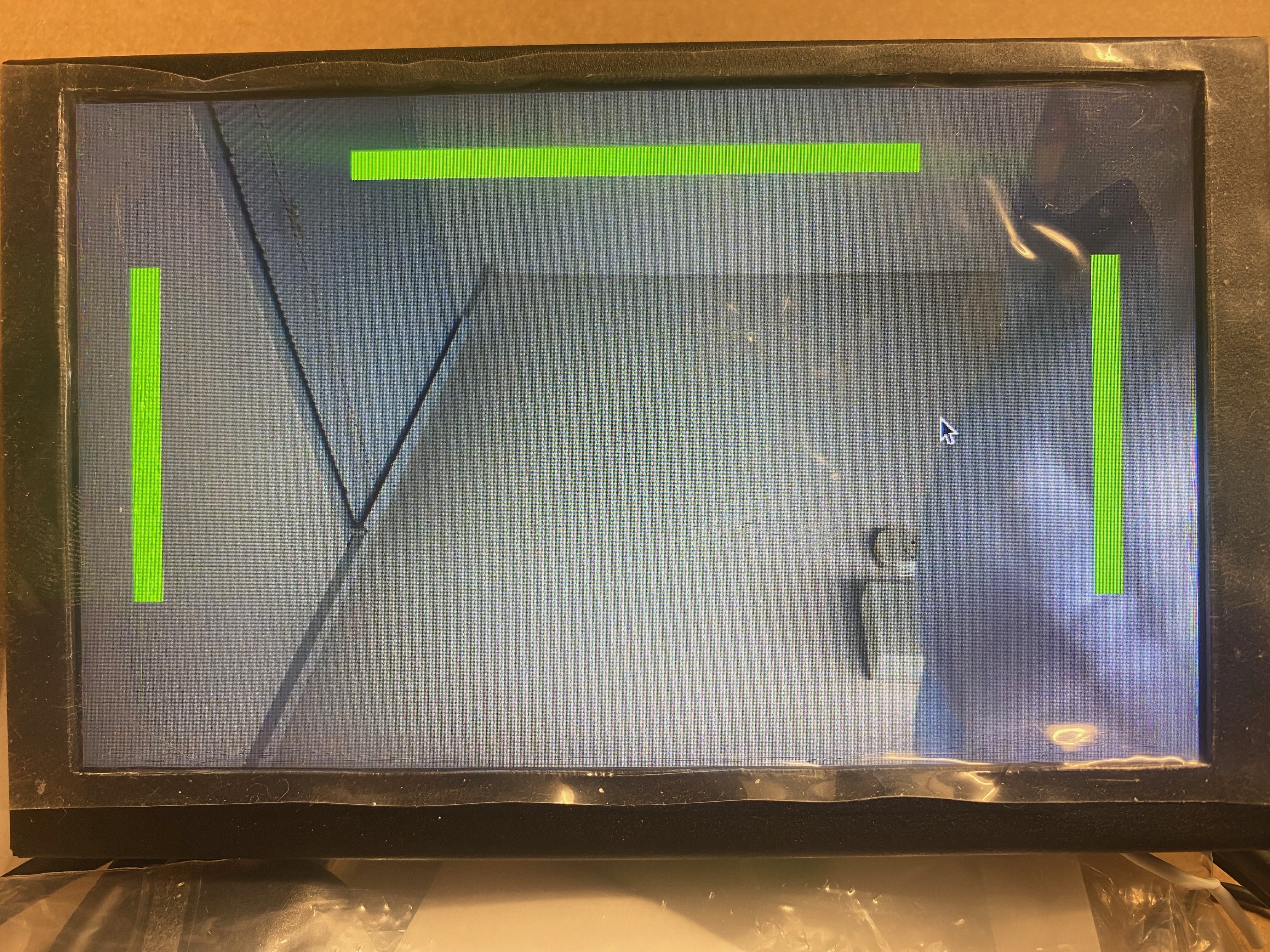
As part of the Electrical Sub-team at UBC BEST-Enable I programmed Raspberry Pi
to stream video from a Picam to a small monitor with a proximity-indicator
overlay to provide client in electric wheelchair with visibility and proximity
feedback when reversing in tight environments.
This was my first introduction to working on a linux system and debugging
in the command line where our primary struggle was interfacing with the
external display to create a clean and effective stream for our client. We
overcame this by looking through the openCV documentation to find potential
solutions, landing on the Python OpenCV namedWindow() method.
Vexbot
- Tools
- C++
- Vex Vision Sensors
- Vex Motors
- Vex Distance Sensors
- Skills
- Object-Oriented Programming
- Sensor Characterization
- Prototyping
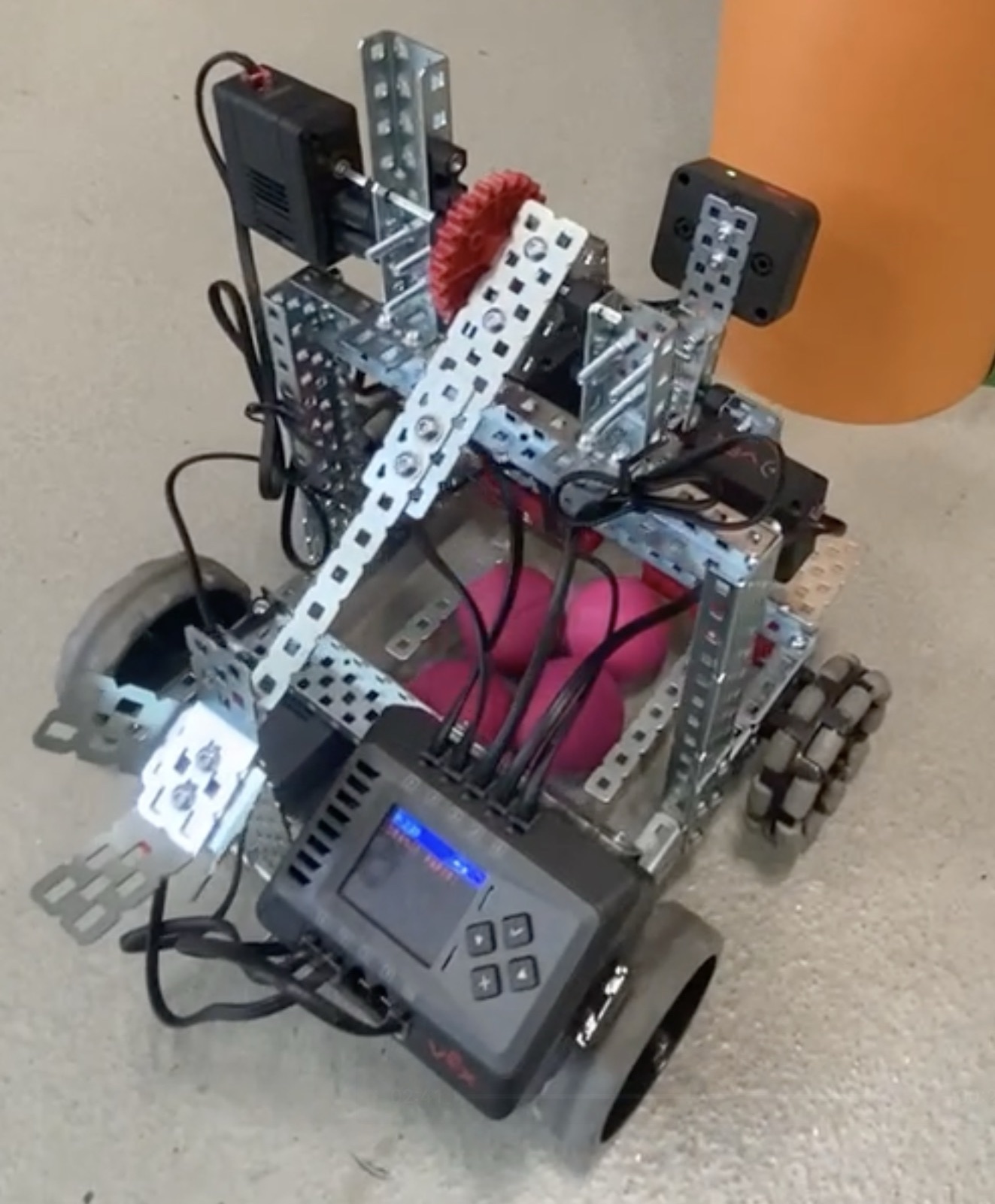
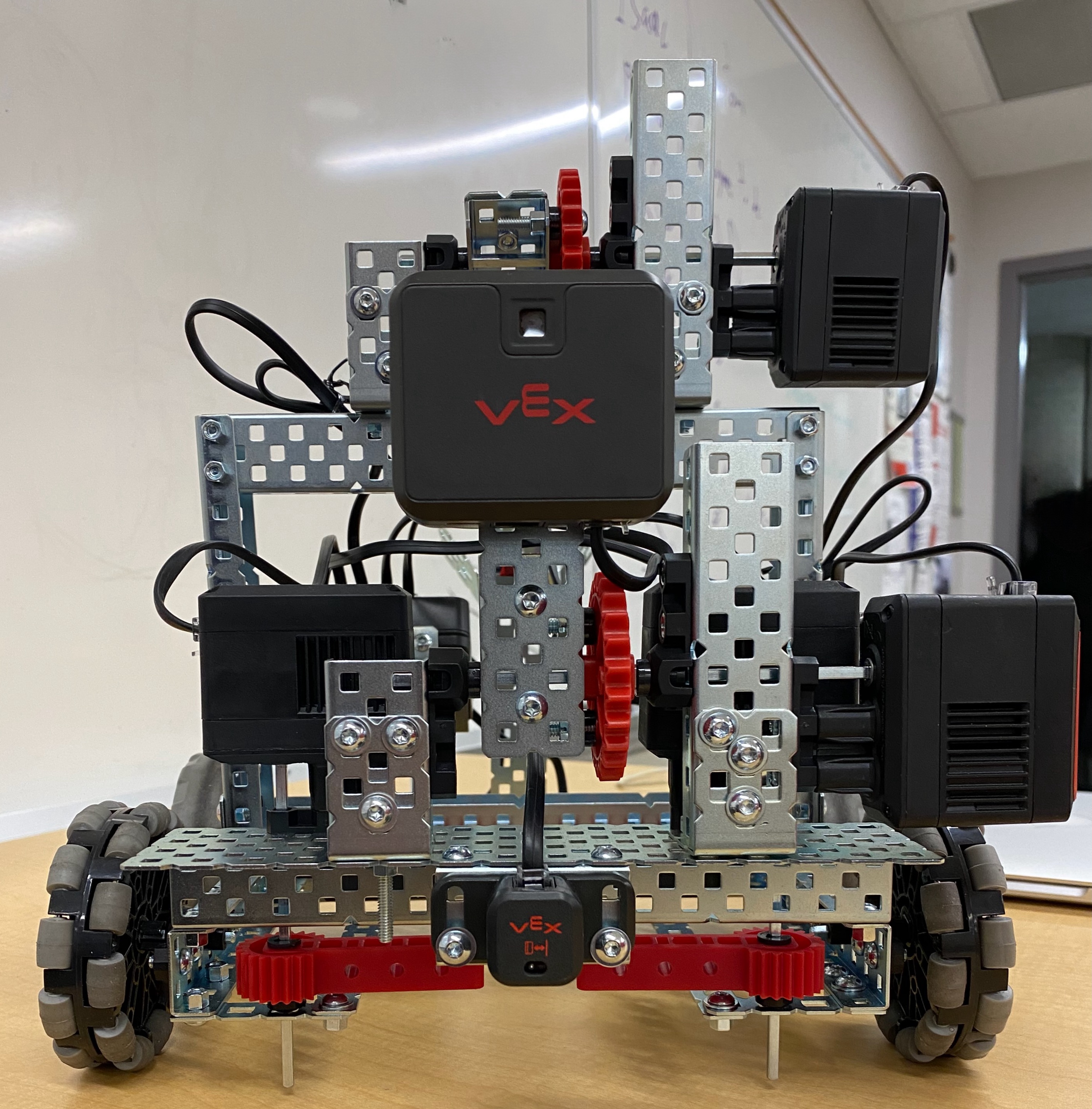
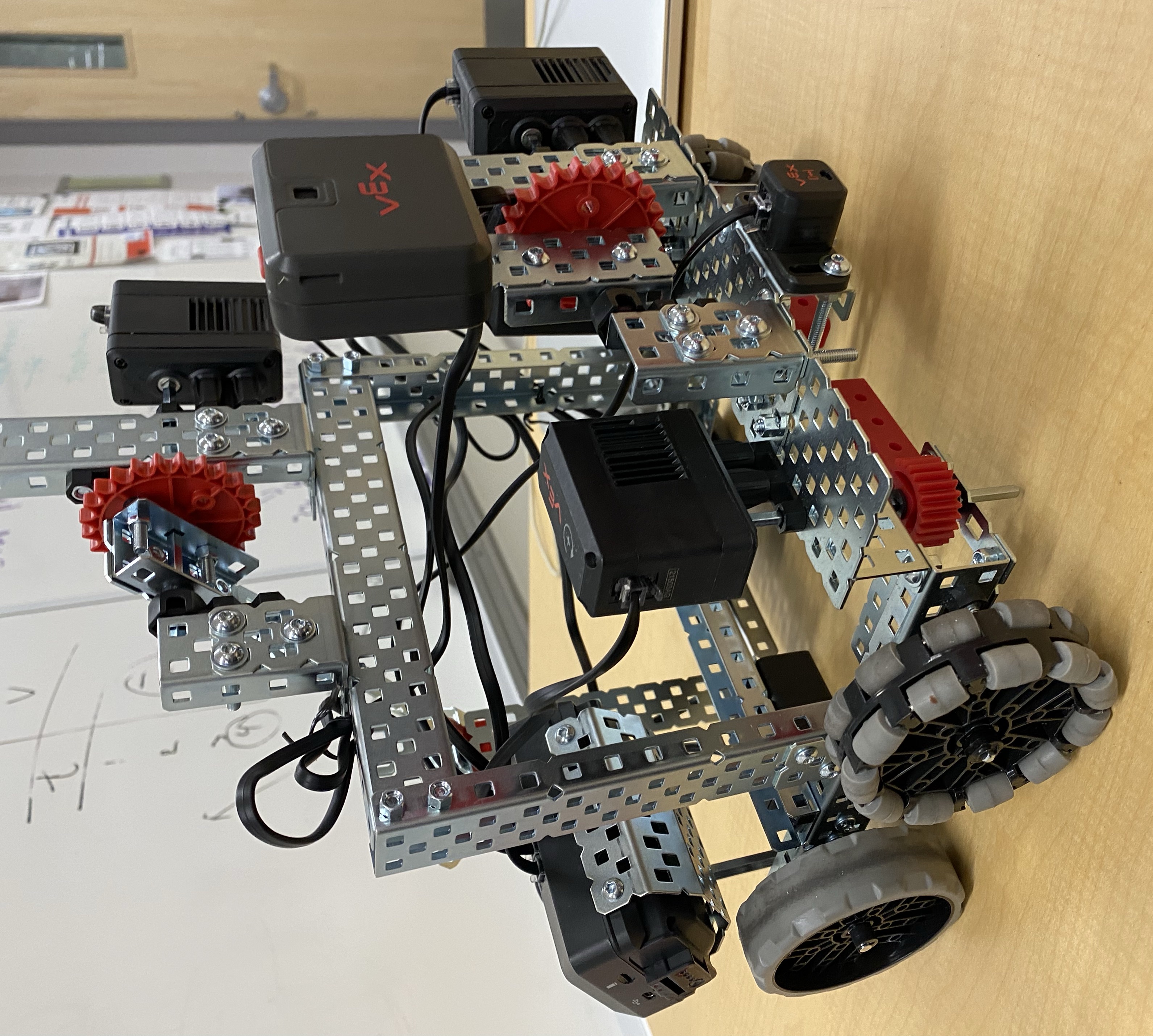
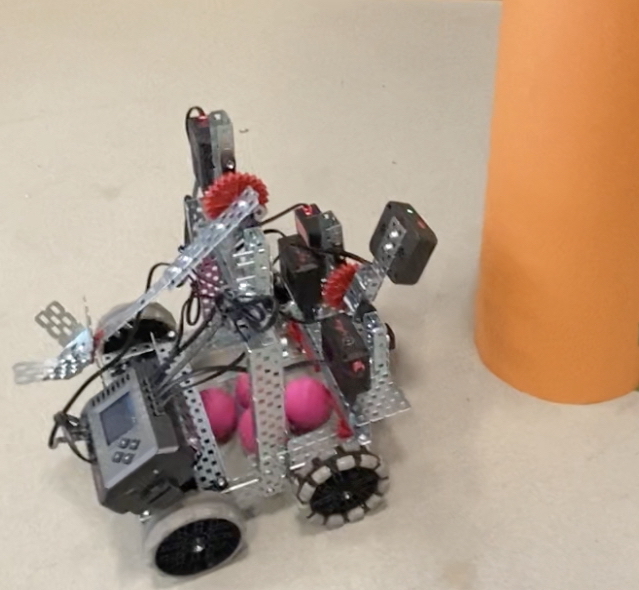
I designed and built a Vexbot that uses vision sensors' color recognition cability to identify and collect coloured balls. The robot would then use the same sensor to scan for and identify a delivery location, and would use a distance sensor to detect when it was close enough to drop off the balls.
Obsidian Interactive Plot Plugin
- Tools
- CSS
- JavaScript
- Python
- Skills
- Object-Oriented Programming
- Event-Driven Architecture
- Inter-Process Communication
- Resource Management
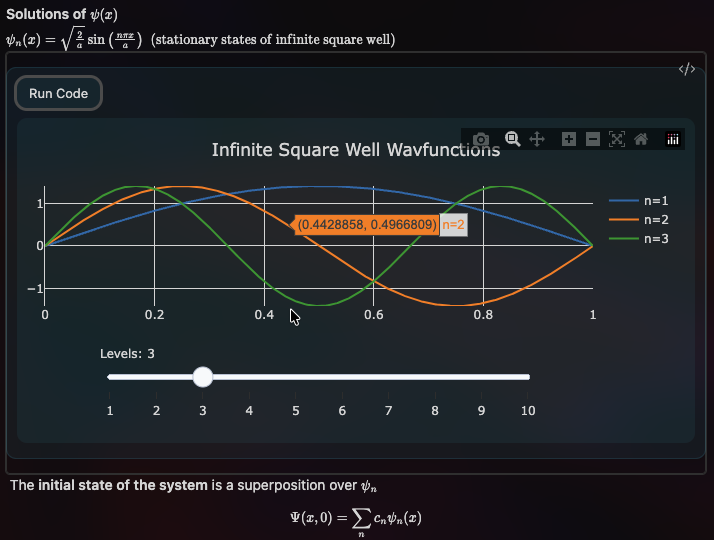
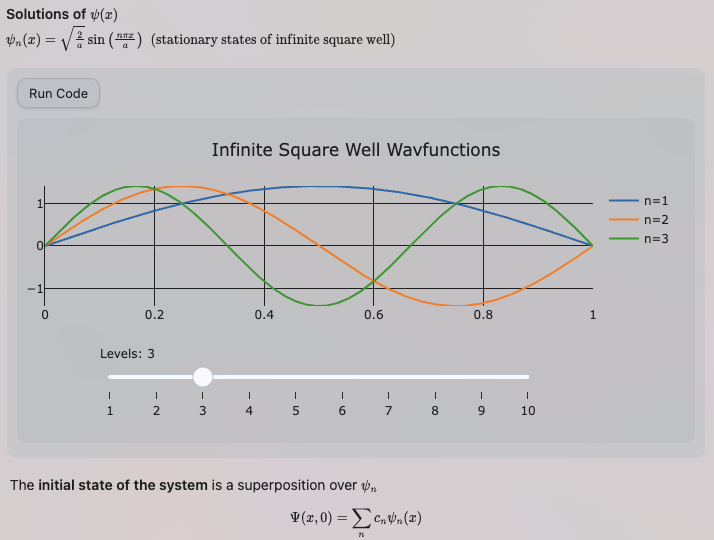
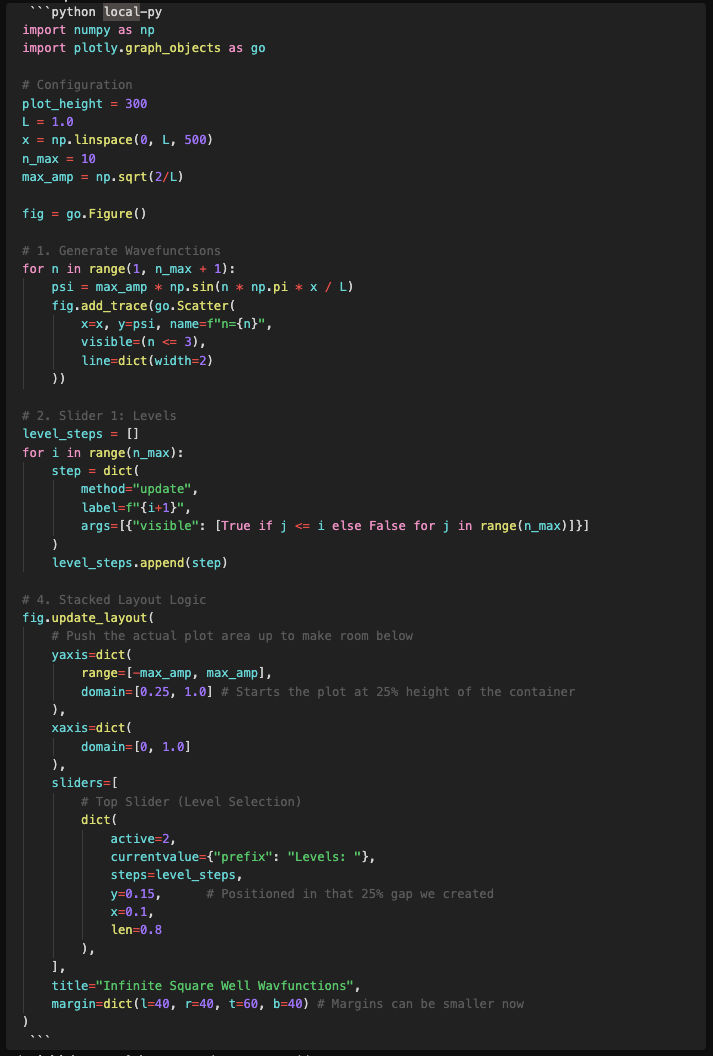
I developed a custom Obsidian plugin that integrates a live Python
execution environment directly into Markdown notes. Designed to replace
static hand-drawn plots with interactive data visualizations, the plugin
uses Node.js child processes to bridge Obsidian with the
Python/Plotly ecosystem. It features a custom CSS-to-Python theme engine
that dynamically injects Obsidian's UI variables into the rendering pipeline,
ensuring that plots automatically adapt their color palettes
during theme shifts (see photos) for a native user experience.
I wrote this plugin to improve my knowledge management environment and engineering
and learning workflows. I plan to create more quality of life features such
as quick-plot shortcuts and other UI shortcuts (slider, variable manipulators etc.)
as time permits.
NOTE: There is currently an issue where the plugin does not render regular python code
blocks properly, only rendering when the tage is 'python local-py'. I am actively working
on resolving this issue.
NOTE: Development is on hold while I determine how to protect against recent and anticipated
supply chain vulnerabilities in python dependencies.